AI virtual try-on
AI Virtual Try-On From Your Own Clothes: A Practical Workflow
Use AI virtual try-on with clothes you already own. A practical Chiffon workflow for comparing outfits, checking proportions, and planning what to wear.
TL;DR
AI virtual try-on is most useful when it starts with clothes you already own, not a random shopping screenshot. Save a small digital wardrobe, preview one real decision at a time, and compare options before you change clothes, pack, or buy something new.
The best use of AI try-on is comparison. It should help you decide between outfits, not pretend to be a perfect mirror, tailor, or fabric test.
Table of contents
- The problem: outfit decisions are connected
- The Chiffon workflow
- What AI try-on is good at
- What AI try-on cannot decide
- How to compare outfits without confusing yourself
- Where this workflow helps most
- AI virtual try-on FAQ
The problem: outfit decisions are connected
Most outfit planning does not fail because you own too few clothes. It fails because the relationships between clothes are hard to see when you are standing in front of the closet.
A shirt is not just a shirt. It changes depending on the trousers, shoe weight, jacket length, neckline, bag, weather, and formality of the day. That is why generic outfit inspiration often disappoints: it shows a pleasing look, but not whether your real clothes can make that look work.
AI virtual try-on becomes more useful when it is connected to a digital wardrobe. Instead of asking “Can AI generate an outfit?”, the better question is:
Can this preview help me choose between clothes I actually own?
That question is narrower, but it is much more valuable.
The Chiffon workflow
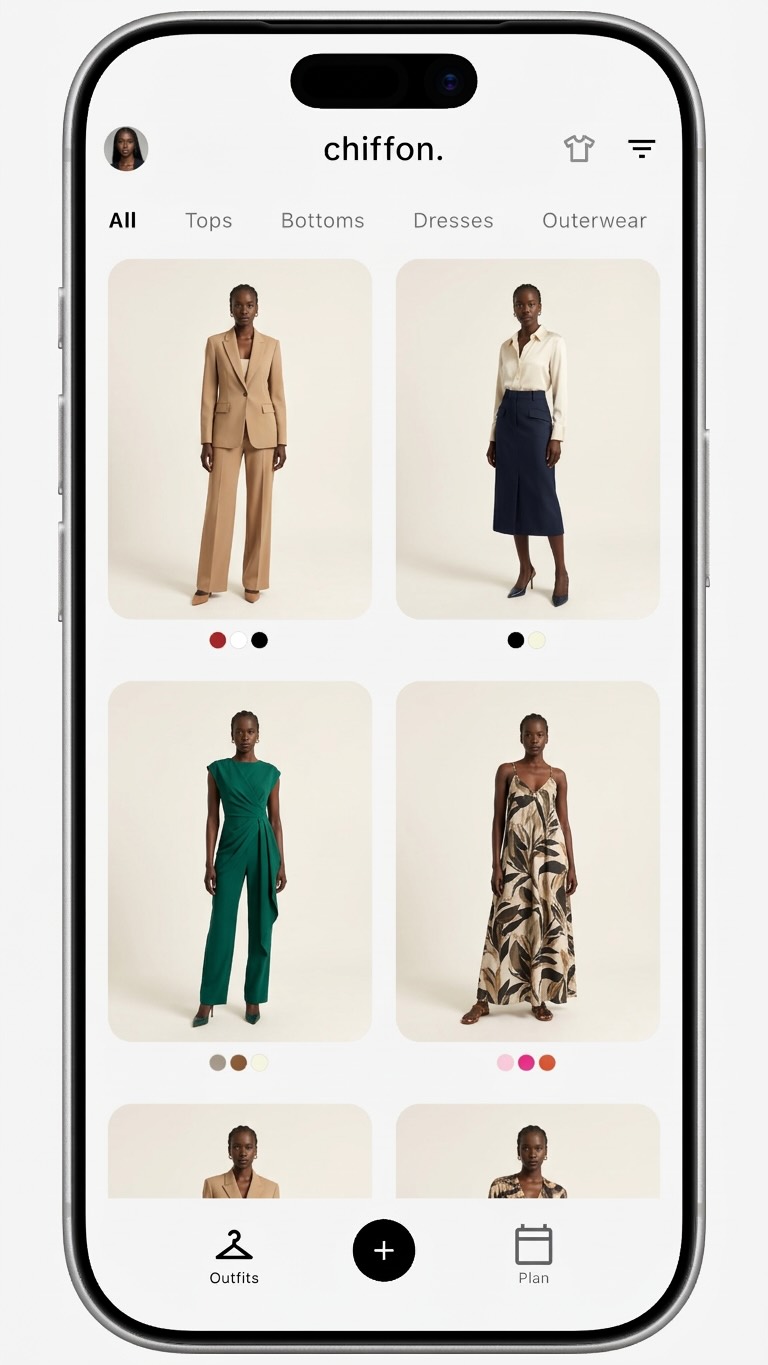
Chiffon is built around a loop: save wardrobe items, keep them visually searchable, and use AI outfit previews to compare what you can wear next.
Use this workflow when you want a practical result:
- Add the clothes involved in the decision.
- Use a clear model photo for consistent previews.
- Build two to five outfit options.
- Change one variable at a time.
- Save the strongest option or rule out the weak one.
The important detail is scope. You do not need your entire closet before the workflow becomes useful. You only need the clothes relevant to the question in front of you.
For example, if you are choosing a work outfit, start with:
| Item type | Practical starter set |
|---|---|
| Tops | 3 shirts, knits, or tees you wear often |
| Bottoms | 2 trousers, jeans, or skirts |
| Layers | 1 blazer, overshirt, cardigan, or jacket |
| Shoes | 2 pairs that change the mood of an outfit |
| One-piece items | 1 dress, jumpsuit, or suit if relevant |
That small set can already answer useful questions. Which shoes make the outfit look intentional? Which layer throws off the proportion? Which top works with both bottoms?
What AI try-on is good at
AI virtual try-on is strongest as a visual planning layer. It helps you see a likely styling direction before you spend time changing clothes or buying something you may return.
Use it for decisions like:
- Same trousers, different tops
- Same dress, different jackets
- Same outfit, different shoe shapes
- Same color palette, different silhouettes
- Same travel capsule, fewer packed items
- Same potential purchase, different existing wardrobe pieces
These are comparison problems. A preview does not have to be flawless to be useful. It only needs to make the stronger direction easier to see.
Here is a simple example. You are deciding whether a cropped jacket works with wide-leg trousers. A mirror test is still useful, but a preview can quickly show whether the cropped shape balances the volume or makes the outfit feel top-heavy. If the result is weak across several base outfits, the jacket may not be as versatile as it looked on the hanger.
What AI try-on cannot decide
Virtual try-on should not be treated as a sizing guarantee. A generated preview can help with outfit direction, but it cannot fully judge fabric behavior, comfort, tailoring, stretch, sheerness, movement, or how a garment feels after an hour of wear.
Use AI try-on to narrow the choice. Use real-world checks to confirm it.
| Question | AI try-on can help | Still check yourself |
|---|---|---|
| Does the color direction work? | Yes, especially in comparison | Lighting and real garment color |
| Does the silhouette feel balanced? | Yes, as a planning draft | Fit, movement, and tailoring |
| Does it work with my wardrobe? | Yes, if your clothes are saved | Comfort and repeated wear |
| Is this worth buying? | It can reduce uncertainty | Measurements, fabric, returns, price |
| Will it fit perfectly? | No | Size chart, reviews, try-on, tailoring |
A good virtual try-on result is a decision aid, not a promise. Treat the image like a draft you can compare, not a final truth.
How to compare outfits without confusing yourself
The easiest way to make AI outfit planning noisy is to change everything at once. If the top, trousers, shoes, pose, and layer all change together, it becomes hard to tell why one preview is stronger.
Use controlled comparisons:
- Pick one base outfit.
- Change only one item.
- Compare the two previews.
- Keep the better version.
- Repeat with the next variable.
Good comparison prompts sound like real wardrobe decisions:
- “Which shoe shape works with this dress?”
- “Does this jacket make the outfit more polished or more bulky?”
- “Can these trousers support both a work top and a casual top?”
- “Which of these two shirts should go in my suitcase?”
- “Does this new item create outfits I cannot already make?”
This is where a digital wardrobe matters. If the app remembers your saved clothes, you do not have to rebuild the decision from scratch every time.
Where this workflow helps most
Daily dressing
For daily outfits, use AI try-on to build repeatable formulas. You might find that a fitted tee, relaxed trousers, and low-profile sneakers work more often than expected. Save that formula, then swap in similar pieces later.
The goal is not to make every morning elaborate. It is to create a few reliable options before you are rushed.
Travel packing
Travel is a strong use case because each item has a cost. If a jacket only works in one preview, it may not earn suitcase space. If one pair of shoes works with four outfits, it becomes a clearer choice.
Build previews from the same limited travel set. Remove items that only appear once.
Capsule wardrobes
A capsule wardrobe can look coherent in a list but fail in real outfits. Use previews to test whether the pieces actually combine across work, weekend, dinner, errands, and weather changes.
If the same items keep producing the best results, those pieces are your capsule backbone.
Shopping decisions
Before buying something new, compare it with clothes already in your wardrobe. A product photo may make the item look exciting, but your saved clothes reveal whether it fills a real gap.
For a deeper buying workflow, read the Chiffon guide to using virtual try-on as an online shopping filter.
Set up the wardrobe before asking for perfect outfits
If you are just starting, resist the urge to catalog everything. Add a useful starter wardrobe:
- 5 tops
- 5 bottoms
- 2 layers
- 2 pairs of shoes
- 1 dress, suit, or statement piece
- 3 items you keep forgetting to wear
Then run one real planning session. Choose a workday, trip, dinner, or event. The first goal is not a beautiful archive. The first goal is one outfit decision that gets easier.
For setup details, use the Chiffon guide to building a digital wardrobe for outfit planning.
AI virtual try-on FAQ
Is AI virtual try-on accurate enough for outfit planning?
AI virtual try-on is useful for comparing style direction, proportions, and outfit combinations, but it should not be treated as a perfect fit or fabric guarantee. It works best when you compare several realistic options.
Can I use AI virtual try-on with clothes I already own?
Yes. The most practical workflow is to save your own clothes in a digital wardrobe, then use try-on previews to compare real outfit options before getting dressed.
How many clothes should I add before using AI outfit planning?
Start with 20 to 40 high-use items, including tops, bottoms, layers, shoes, and one-piece outfits. That is enough to create useful combinations without cataloging everything.
What makes a good virtual try-on comparison?
Change one variable at a time, such as the same trousers with different tops or the same dress with different jackets. Controlled comparisons make the strongest option easier to judge.
Make the preview earn its place
The point of AI virtual try-on is not to generate more outfit images. It is to help you make better wardrobe decisions from clothes you already have.
When a preview helps you pack lighter, repeat a strong outfit, rediscover an ignored item, or reject a weak purchase, it has done its job. That is the practical value of connecting AI try-on to a digital wardrobe: your closet becomes easier to see, compare, and use.